
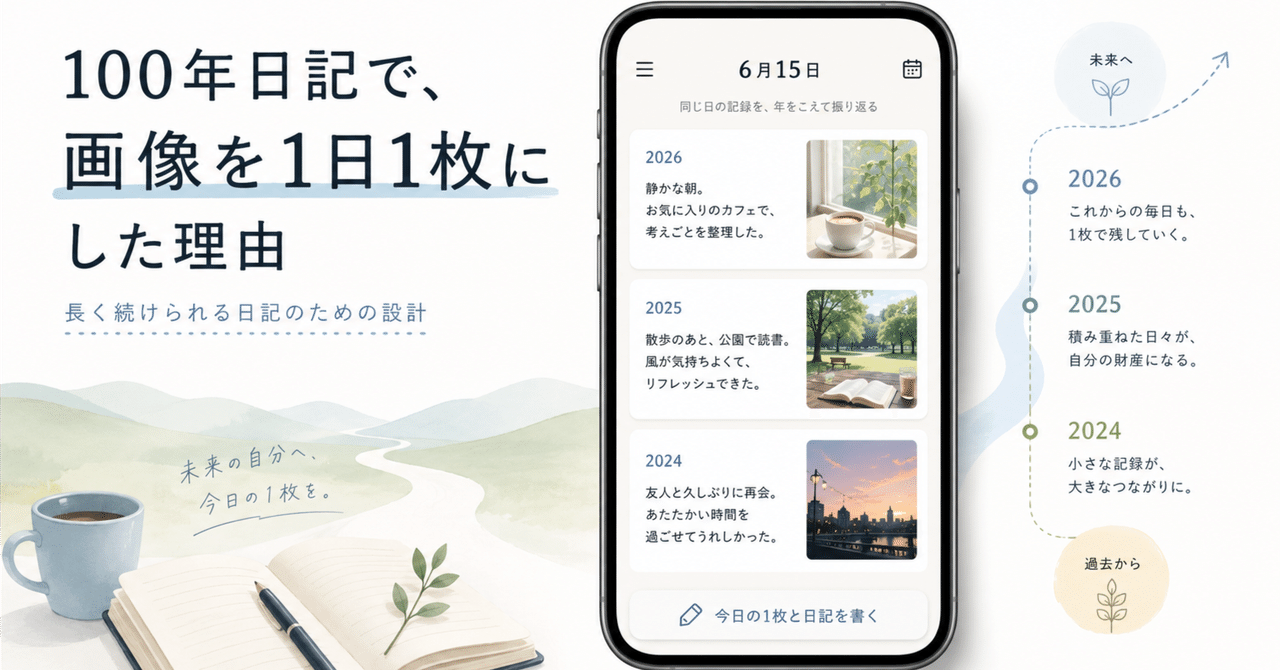
100 Year Diary allows one photo for each day.
At first glance, that can look like an unnecessary limitation. A trip, a family event, or a day with a child can easily produce dozens of photos. Why not let people attach as many as they want?
I chose one because 100 Year Diary is not meant to replace a photo library. It is a multi-year diary built around text and around revisiting the same date again and again.
The constraint helps protect that experience.
More photos also mean more storage
A diary that supports many photos has to store them somewhere.
That can mean consuming more space on the phone, or operating cloud storage and paying the ongoing cost of keeping those images available. Neither model is inherently wrong. They simply lead to different products.
100 Year Diary keeps diary content and its attached image on the device. The app does not run its own photo-storage service. Limiting each day to one image puts a predictable ceiling on how quickly the diary grows.
That matters for an app I want people to be able to use for years without requiring a monthly subscription just to preserve the basic record.
Fewer choices before writing
Multiple photos also create an editing task.
How many should I choose? Which ones? In what order? Did I already save these somewhere else?
Those are reasonable questions when you are building an album. They are less useful when the main goal is to write a diary entry before going to sleep.
With one photo, the decision becomes simpler: if there is one image that brings this day back to me, which one is it?
The full set of photos can stay in the system photo library or in a family photo service. The diary only needs the image that acts as a cue for the memory.
One photo is easier to scan across many years
The limitation becomes even more useful when the diary gets older.
Imagine opening the same date after ten years. The screen already contains ten pieces of writing. If every year also contains a gallery of several photos, looking across the decade becomes much slower.
One image per year keeps the rhythm intact. You can move from one year to the next, notice what changed, and still let the text remain the main record.
If you want the complete visual history of a trip or event, the photo library is better at that job anyway.
A photo should bring the day back, not document everything
The role I want a photo to play in 100 Year Diary is modest.
It does not need to prove everything that happened. It only needs to help reopen the memory: where you were, who was there, what season it was, or what the day felt like.
A few paragraphs and one image are often enough to do that. If the memory makes you want more detail, you can open your photo library afterward.
That separation of roles is intentional. The diary keeps the story of the day. The photo library keeps the complete set of images.
Constraints can make a long-term tool lighter
Adding flexibility usually makes an app look more capable. But every extra choice also becomes something a user may have to deal with every day, and something that has to remain manageable after years of data accumulate.
For 100 Year Diary, I would rather keep daily input and long-term revisiting light than maximize the number of things that can be attached to a single entry.
One photo per day is one small constraint that supports that priority.